The Program Branch
What the run actually read, line by line, as opposed to what the mission asked for.
The Execution page's Control Tree carries four roots: Mission above, Program below it, at
Control-Tree path execution/program, and Step Variables and
Step Colors below both. Program is read-only — its nodes are what the session played or produced: the files the mission points at,
the files the run reached from them, the inline text of the NC Code commands, one node per distinct
title, and the writeback files converted from a played file — and the transport sits in the run
header at the top of the Control Tree pane, with the run-state badge at its right end, so a run can
be started, stepped and reset without leaving the branch.
Before anything runs
The branch is not empty before a run. The service seeds it from the mission: first one node per distinct file an enabled Program File command names — NC, CL or CSV alike, since the seed reads the command's path and not its kind — in the order the mission lists them and reaching into nested List commands, then one node per distinct title among the enabled NC Code commands — so an NC Code command listed above a Program File still seeds below every file node. Those nodes are placeholders — a file the run has not opened yet — and the branch panel says so, badging itself not run yet beside the file count.
Three things decide what is seeded:
- A disabled command seeds nothing. The mission's greyed Program File entry names a file that never reaches the branch, and nothing beneath a disabled List reaches it either.
- Two commands naming one file seed one node. Paths are compared with case and slash direction
ignored, so a file played twice appears once. In the screenshot below the first
circle.ptpcommand sits inside the collapsed List [Roughing] and the second is the top-level Program File row, so the branch shows one plaincircle.ptp; the×2it takes once both commands have played is in the next section. - An NC Code command is seeded under its own title, not under a file name, because it has no
file — its text lives in the mission. The branch marks it
(inline), and two NC Code commands with the same title share one node.
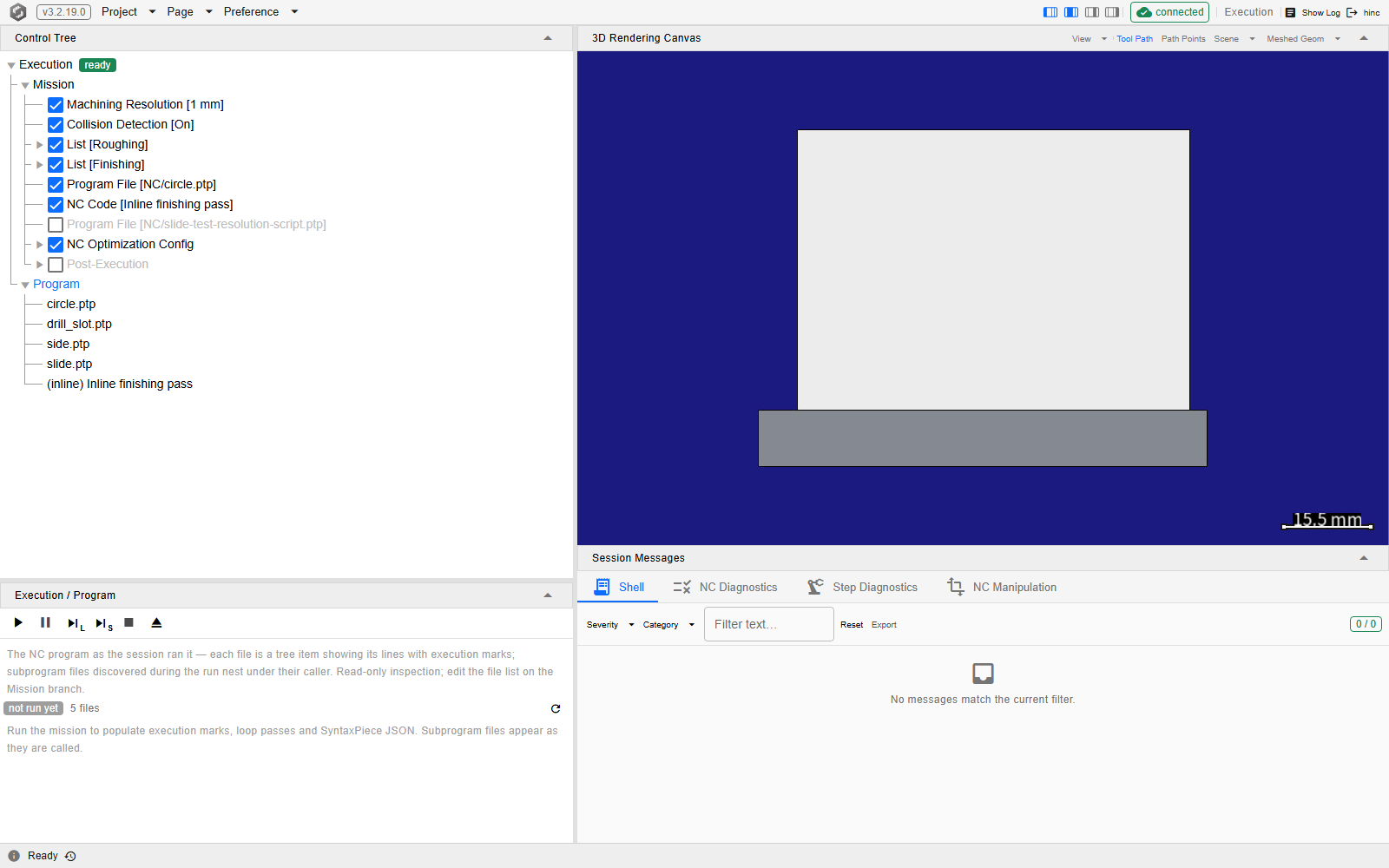
The Program branch at /execution?tree=execution/program, on a project that has not been played.
The disabled Program File entry in Mission has no node under Program; the enabled NC Code
command has one, under its title.
After a run
Playing the mission fills the same nodes in and adds any file the run reached that the mission did
not name — a subprogram or macro call nests its callee under the caller. A call whose callee was not
found adds nothing here: the call is skipped with an error on NC Diagnostics and the run carries
on, so a job whose cutting lives in the callee finishes with nothing machined, and the missing
nested node is the quickest sign of it. The panel's badge changes from
not run yet to run data, and a file the run made more than one pass over takes a × and a
count in its tree label.
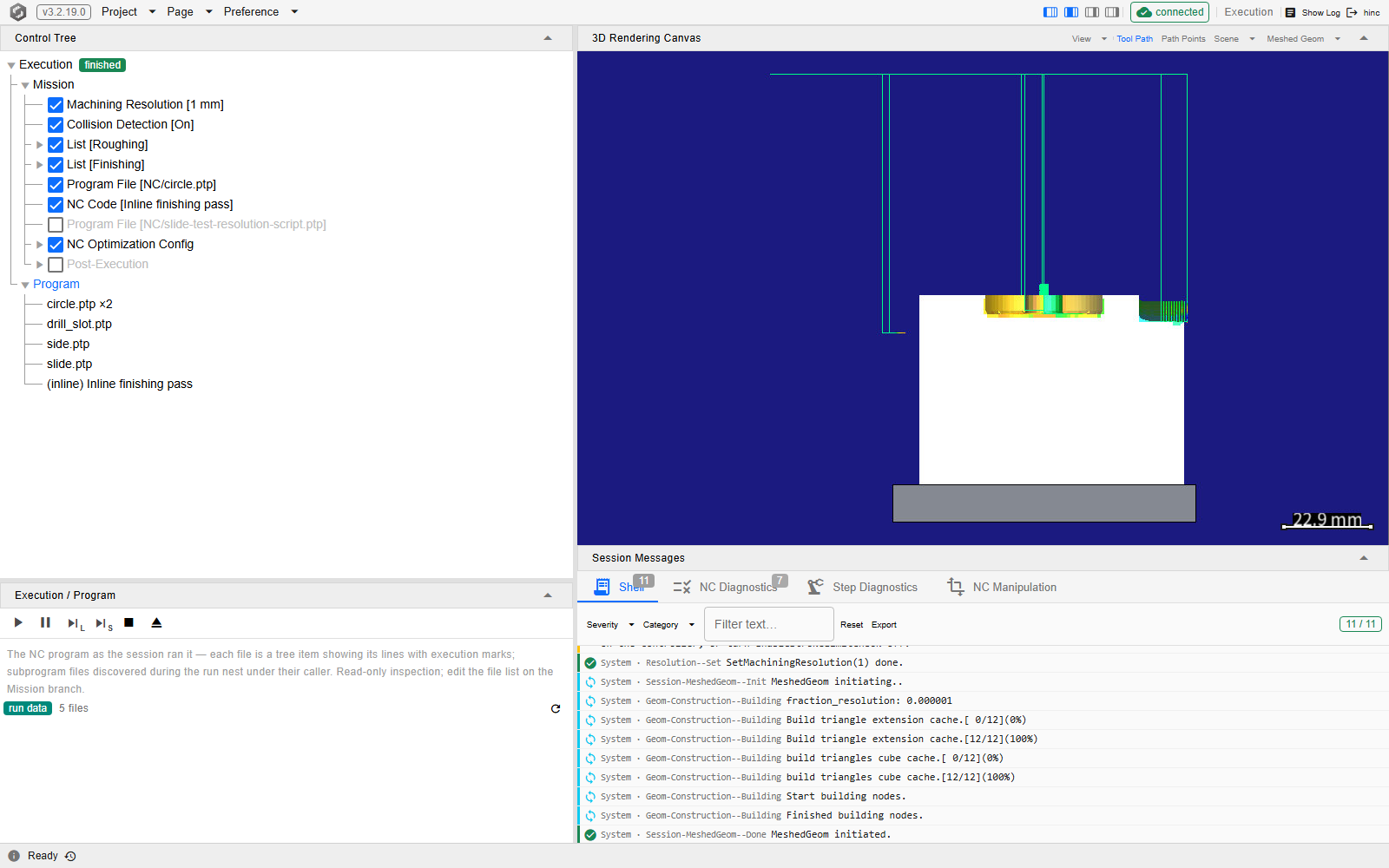
The same deep link once the run has finished. circle.ptp ×2 is one node holding two passes,
because two Program File commands named the same file.
Important
The branch is rebuilt when the run changes state — starting, pausing, finishing, being reset — and not while it is playing. During a long run the nodes on screen are the ones the last transition left there, so a file the run has since opened may not be listed yet. The round refresh button on the Control Tree's Program row — at its right end beside the Follow switch, its tooltip Re-read the file tree from the current session — rebuilds the branch on the spot without touching the transport; pausing rebuilds it too, since a pause is a state change.
Reading one file
Selecting a node opens the file as the run saw it: the path it was read from, a selector for the passes made over it, and the text with what each line produced beside it.
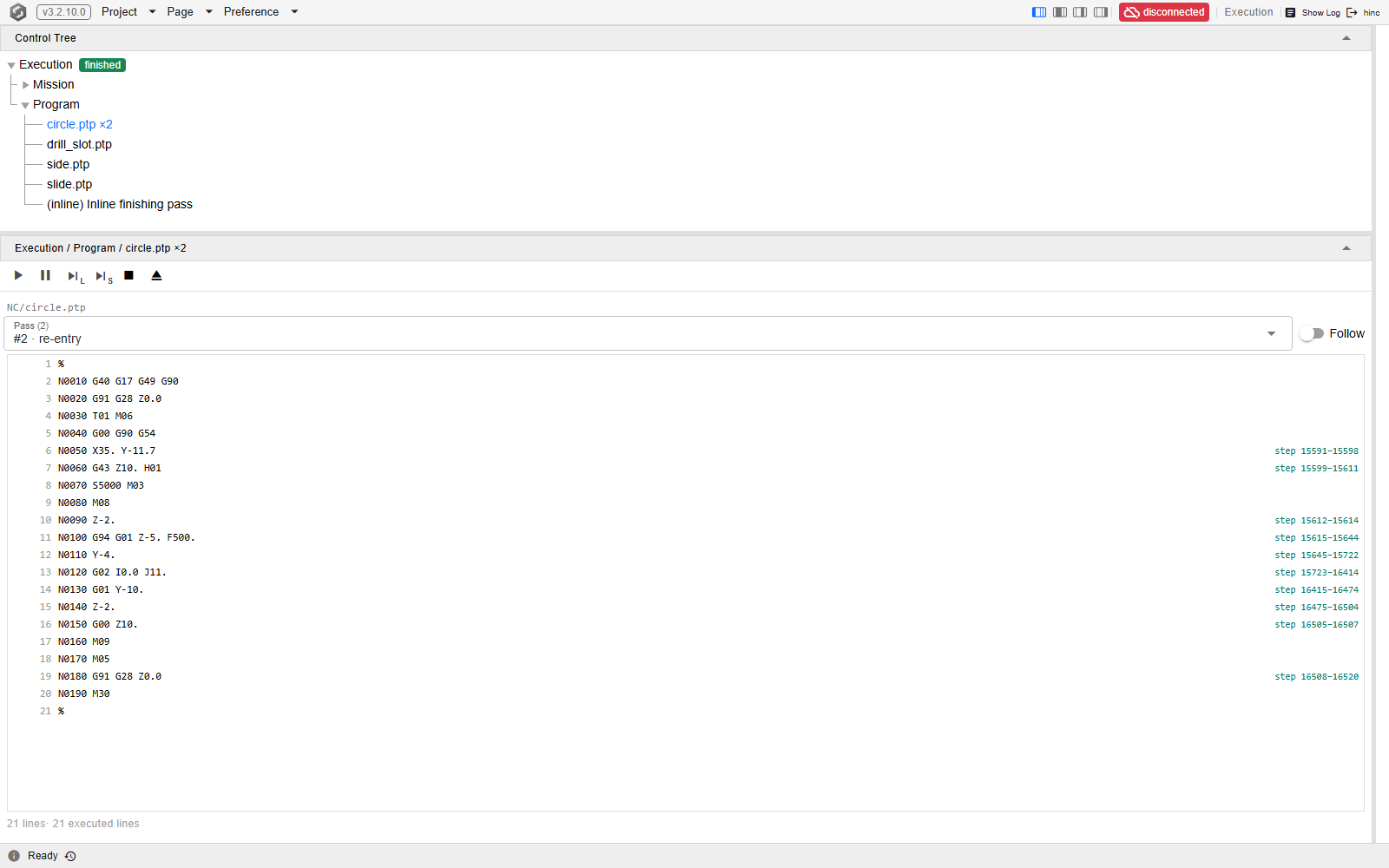
One file node at /execution?tree=execution/program/0, with the canvas column switched off so the
line viewer has the width. Hiding the column does not close the canvas's rendering connection, so the
menu-bar chip still reads connected (see The Application Window).
The pass selector names the pass and why it was entered.
- The pass selector carries one entry per pass, labelled with how that pass was entered. A
pass that an
M98/M198subprogram call started carries the call word and itsPnumber —M98 P8— on every pass, so a subprogram the caller repeats with anLcount or calls a second time reads×Nwith each pass labelled by the call, never as a re-entry. A pass with no call behind it reads top on the first arrival at that path and re-entry on every later pass over it — whether a second Program File command named the file again or aWHILEorGOTOinside a single play of it started a new pass. So a file the mission names once can still read×N, with every pass after the first labelled re-entry. AG65orG66macro body is labelled like a pass with no call behind it — top on its first arrival, re-entry after — even though it sits nested under its caller: a main program that calls one macro file three times, once per work offset, shows that file as×3with passes labelled top, re-entry, re-entry. For a macro, the nesting is what shows that it was called. - The step range beside a line is what that line produced. A line with no range beside it ran
and produced no motion:
GandMwords that set state, and the tape marks, all execute without cutting anything. - A line missing from the marks altogether did not run in that pass. That is the difference the branch exists to show, and it is per pass — the same line can be greyed in one pass and marked in the next.
- Follow — the switch on the Control Tree's Program row — keeps the viewer on the line the run is executing, moving the tree to whichever file the run is in and the pass selector to the pass it is on; with it off the view stays where it was put. Any pick of your own switches it off: selecting a tree node, clicking a step on a strip chart or on the tool path, or clicking a line in the viewer. After a chart or tool-path click the viewer shows that step's line, in the step's own file and pass — a subprogram's node included — provided a Program node was selected; with a Mission node selected the tree stays where it is. After a line click it stays on the line you clicked.
The geometry difference
A run that compared the machined workpiece against the ideal one leaves its result on the branch: Geometry Difference [1 mm] — the last node under Program, labelled with the detection radius the comparison used. It is there only while that comparison's colouring is still on the workpiece; a Reset takes it away with the rest of the run data, and a project that never runs a difference never grows the node.
The comparison is not started here. It is the mission's Post-Execution › Geometry Difference
Detection section, or a script's Diff(...); this node is where the result is read. Its panel
holds the one setting that belongs to the result rather than to the run: the Visual Radius, the
deviation at which the colouring saturates. The detection radius beside it is read-only — changing
the colour scale re-reads the comparison you already have, where changing the detection radius would
mean running it again. The visual radius is saved with the project, so every snapshot of the
part is read against the same criterion; use the File menu's Save to keep a change.
Note
A difference computed by a script outside a run — between two state transitions — does not appear on its own. The branch is rebuilt on run-state changes, so press Refresh on the Program row to bring the node in.
What the branch does not hold
- The writeback files are not inside the file nodes. With Post-Execution › CL → NC
Writeback enabled, the mission re-serializes every file the session played — NC plays as well
as CL plays — and each converted file makes its own node, labelled
→and the output file's name, at the top level of the branch, after the file nodes rather than under them; the Program panel counts them beside the file count, and clicking a line on either side jumps to its twin on the other. With that section disabled the branch shows only source files. - Node addresses are positions, not files. A node is
execution/programfollowed by an index at each level of nesting —execution/program/0for a top-level file,execution/program/0/0for a subprogram nested under it — and a writeback node takesdst-and its own index in place of a file index,execution/program/dst-0. So a deep link into the branch survives only as long as the branch has the same shape. Link to the branch, not into it. The geometry-difference node is the one exception: it is alwaysexecution/program/geom-diff, on the runs that have one. - A skipped line is not only recorded here. A line suppressed by block skip is also announced in the NC Diagnostics list while the run is playing — see When Something Goes Wrong.
See Also
- Running a Simulation — the rest of running a job
- Playing a Program — the two commands that put the sources here
- When Something Goes Wrong — reading this branch as part of a diagnosis
- Inspecting a Step — the Block Info panel that a line click on one of these file panels steers
- Watching the Run — the canvas and charts a run fills while this branch lists its sources
- Step Variables — the root below this one: your own values of each step, each a formula over the step