Delegated Authorization for Multi-Host Deployment
This page is for the dongle package. The cloud package needs no license server of your own: each computer signs in to a cloud account, which is in use on one computer at a time — see Signing In with a Cloud Account.
If multi-host licensing is enabled, one machine acts as the license server and the others are authorized clients. Both sides have to be configured, and every machine involved needs the Sentinel Run-time Environment installed.
The quickest way to get the Sentinel Run-time Environment onto each machine is the one-click installer on the license activation page — it installs the run-time and updates that machine's license in one step. Contact us for the server-side and client-side configuration guides.
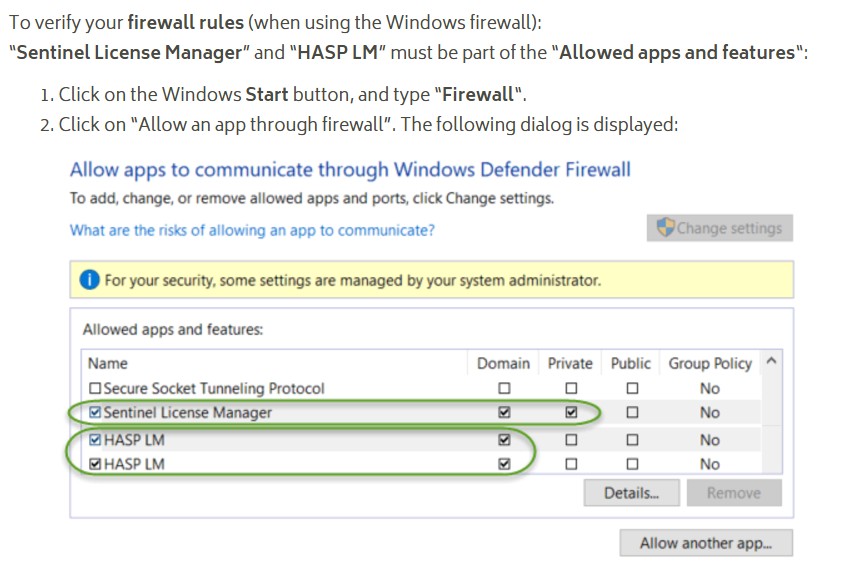
The license server may be blocked by the Windows firewall. You can allow it through as shown below:
When using a red license dongle, the Sentinel Run-time Environment is required for standalone operation as well, not only for multi-host setups.